Organization Setup
Step 1: First login
After creating and verifying your account, you will reach this page:
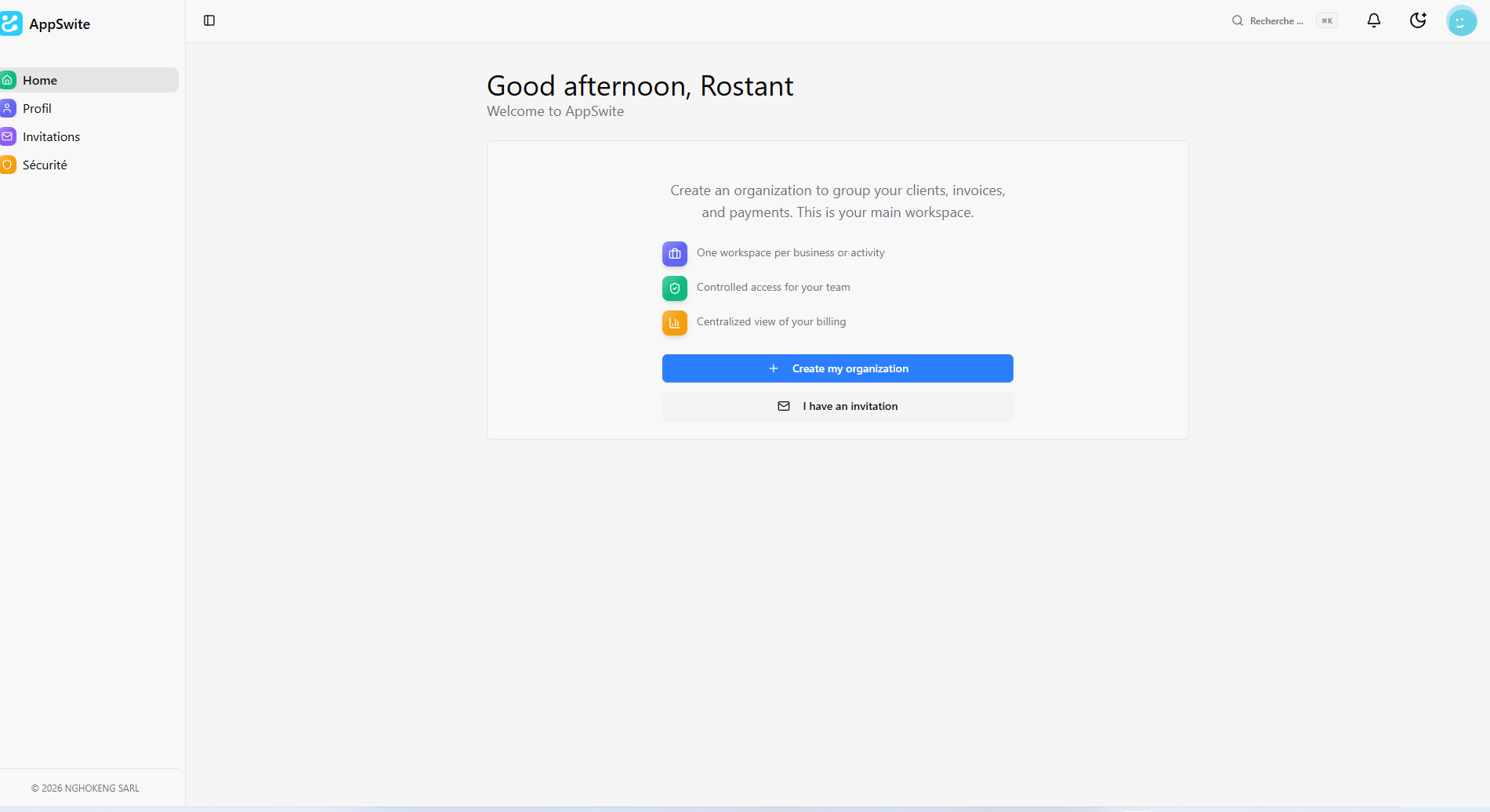
A welcome message invites you to create your organization to start using the application.
Two options are available:
Option 1: Create your organization
If this is your own workspace, click on the blue "Create my organization" button.
Option 2: Join an existing organization
If you have been invited by an organization, click on "I have an invitation".
You will reach this page:
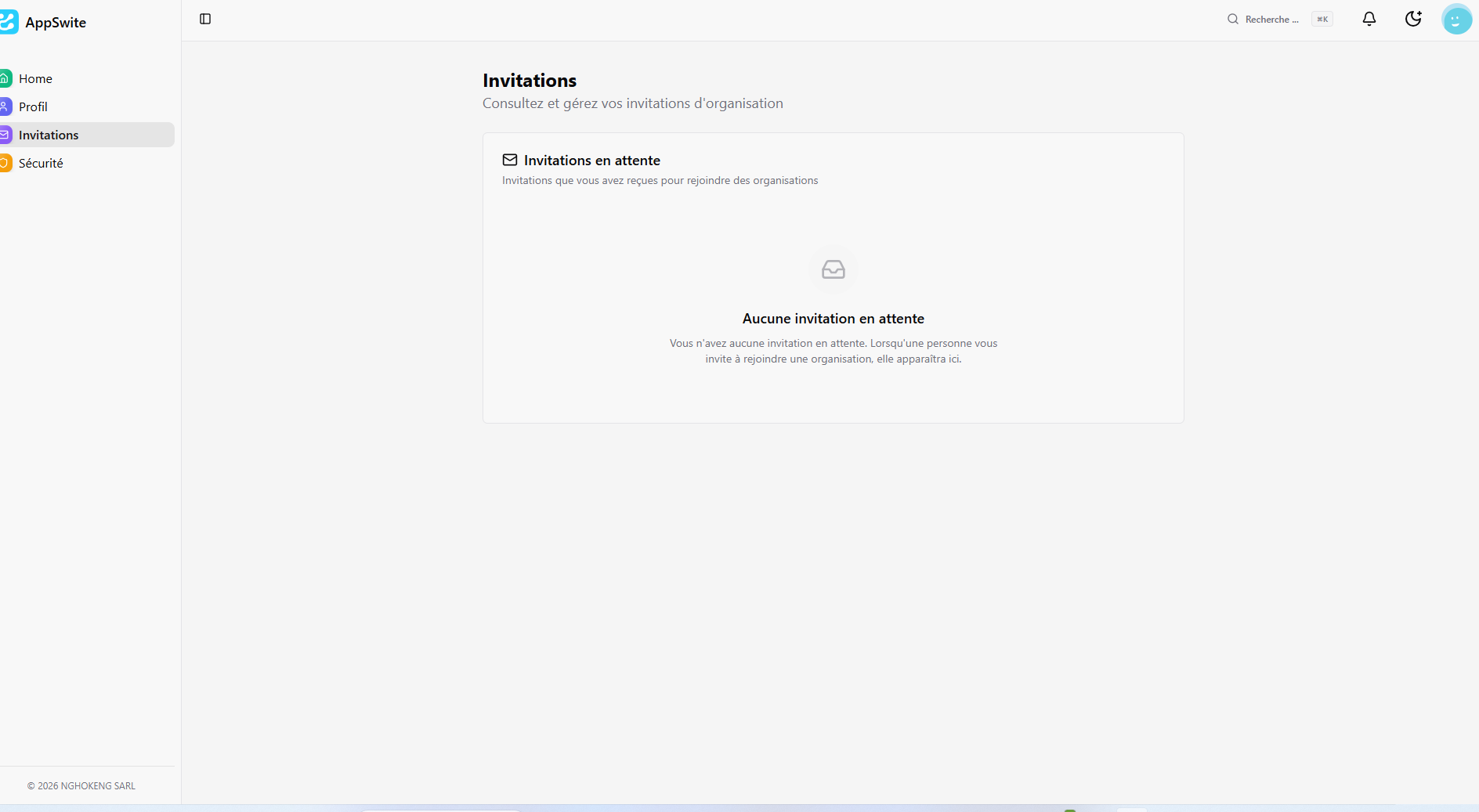
This page displays all the invitations you have received to join organizations. When someone invites you, the invitation will appear here.
Create your organization
After clicking on "Create my organization", a window opens:
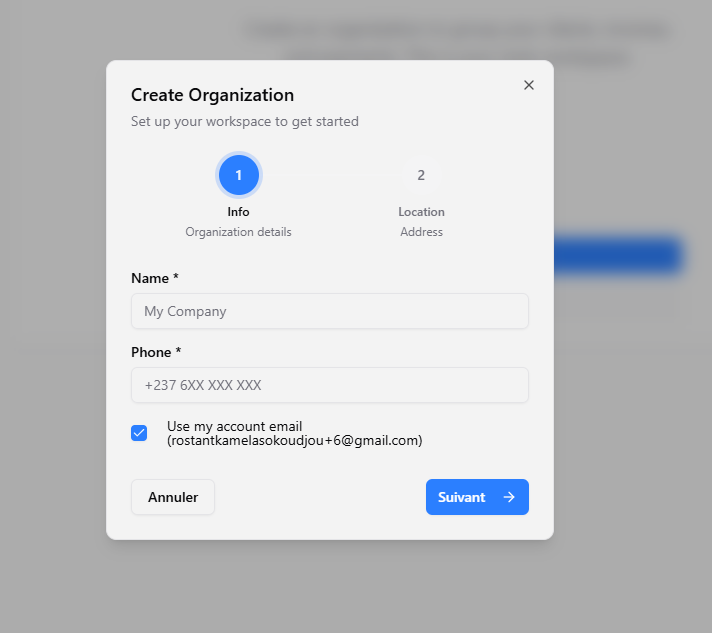
Creation is done in 2 steps:
Step 1 - Organization Information
Fill in the required fields (marked with an asterisk *):
- Name: The name of your company or organization
- Phone: Your phone number
- Use my account email: Check this box to use your account email
Click on "Next" to continue.
Step 2 - Address
Complete the location information for your organization.
Once all information is provided, click on "Next" to finalize the creation.
Your organization is now created, and you can access all the application's features!